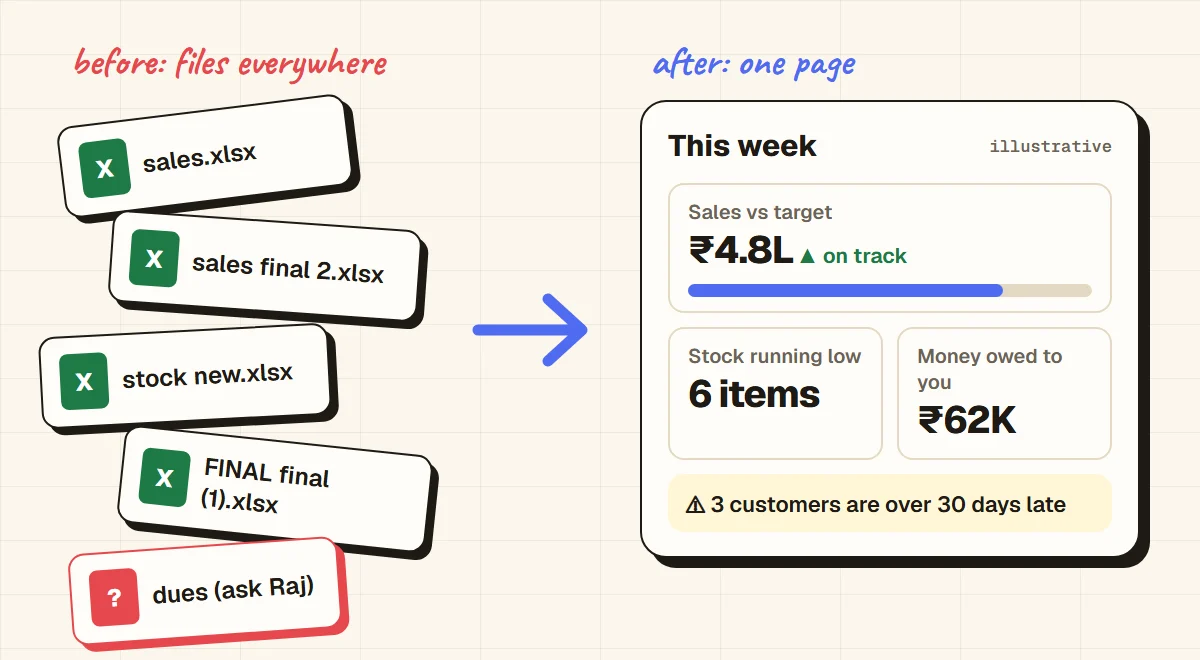
The short answer If your numbers live in many Excel files, people get different answers, and month-end takes days, your business has outgrown its spreadsheets. You usually don’t need expensive new software. You need your files turned into one simple system, with one page that shows what matters.
Count your signs
Tick the ones that are true for your business.
Is your business stuck in spreadsheets?
Why this costs you money
Messy files don’t just waste time. They lead to wrong decisions. Here is how one small typing mistake can change a whole month’s total:
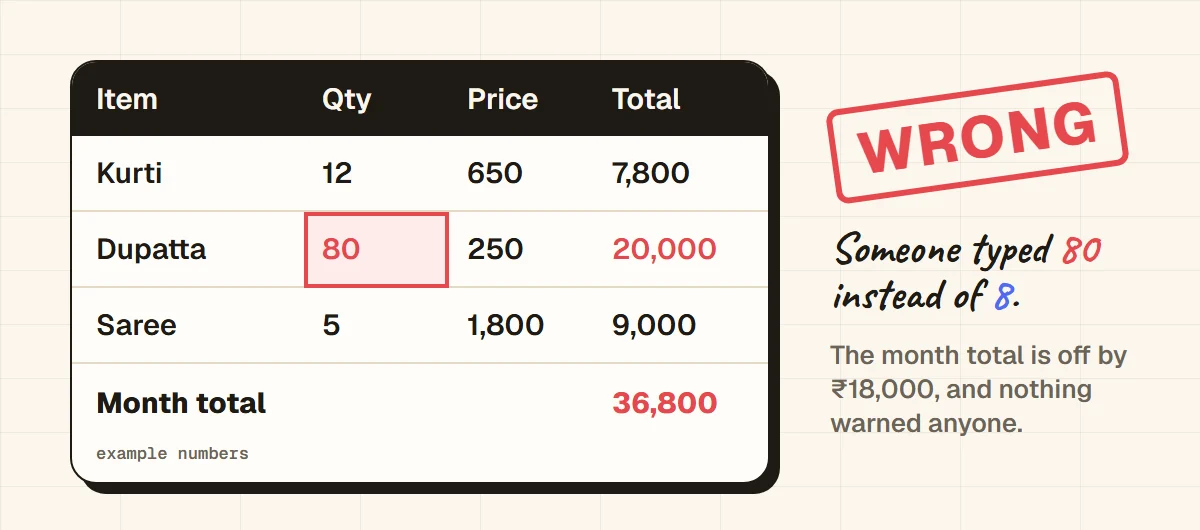
When numbers are typed again and again in different files, mistakes like this are almost certain. And when nobody trusts the numbers, decisions get made on gut feeling.
Do you need expensive software?
Usually not yet. Big business software (often called an ERP) can run your whole business, but it takes months to set up, costs money every month for every user, and your team has to learn it.
Think of it like thisBefore you buy a bigger cupboard, sort out the one you have. Most of the time, it’s enough.
The simple fix: one tidy system
We take your scattered files and turn them into one system, usually in the Excel you already use. It works on four simple ideas:
Type each thing once
Sales, stock and expenses each get one place to be typed in. Nobody types the same number twice.
Pick from a list
Product names and order statuses come from a dropdown, so nobody can spell them three different ways.
Totals work themselves out
Stock left, sales this month and money owed are calculated for you, never typed by hand.
One page to check
The 5 to 8 numbers you care about, on one page, updated every time someone adds a sale.
A real example
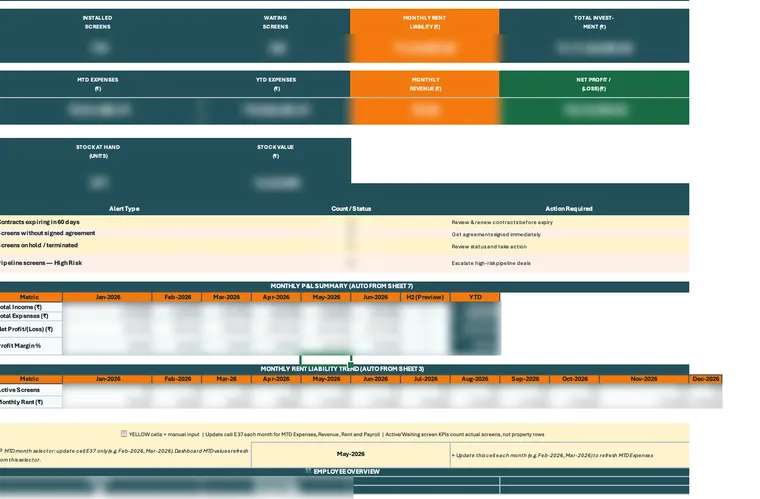
A business that installs and rents out digital screens kept its stock, installations, contracts, rent and expenses in separate files. Answering “how many screens are live, what rent do we owe, and are we making money this month?” meant checking everything by hand.
We joined it all into one workbook. Stock now counts itself, every entry is checked as it’s typed, and one summary page shows screens installed, rent owed, expenses, revenue and profit. It even warns when a contract is about to end. Read the full story.
When you do need new software
We’ll tell you honestly which side you’re on.
Questions owners ask
Do I have to stop using Excel?
No. Most of the time we build the new system in Excel, so your team keeps using what they know.
Can my staff use it on their phones?
Yes, if the file is saved online with Microsoft 365. A few people can add data from a phone or laptop.
We use Tally. Do we still need this?
Tally looks after your accounts. This system covers what Tally doesn’t, like stock movement, orders, jobs or targets. The two work side by side.
Ticked 3 or more? Book a free call. Show us your files, and we’ll tell you what we’d fix first. No sales pitch.